Meeting for March 10th 2025
Prerequisites
- HP Laptop
- HP Laptop's Charger
- USB Ethernet Adapter
Agenda
- Pull Newest version of UUI file from Melissa's MSI into the HP.
- Make sure to take HP Laptop with us to Streams Facility. We will be leaving it there.
- Put HP on the network at Streams Facility.
- Connect HP WiFi to ESF WiFi.
- Connect HP Ethernet (dongle) to the SCADA network.
- Configure HP in the router interface to have static IP: 192.168.0.249
- Configure HP’s Ethernet adapter to have static IP: 10.60.1.44
- Modify the IP address in Pac Display Configurator to make sure it is pointing at the correct location for the Camile PC.
- Configure/Control Engines.
- Select Pac Sim by double Clicking.
- Under Control Engine Properties go to
Control Engine -> Name -> Browse. - Select Pac Sim by single clicking -> Select Modify
- Change IP Address/Host Name to the Camille PC IP address.
- Make sure we can remote into the HP Laptop while it is on the Network from Melissa's MSI machine.
- Configure Tight VNC Server on the Camile PC.
- Configure OpenVPN Connect on Jeremy's phone.
Post-deployment Notes
Opto Notes
TODO: Melissa can update this if she has notes.
Networking Notes
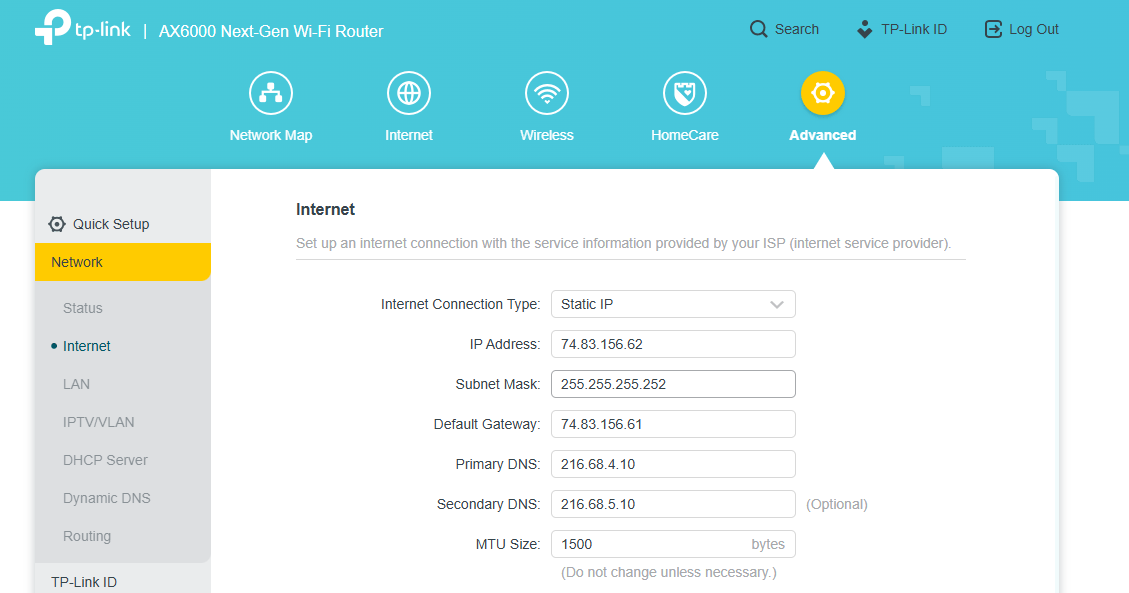
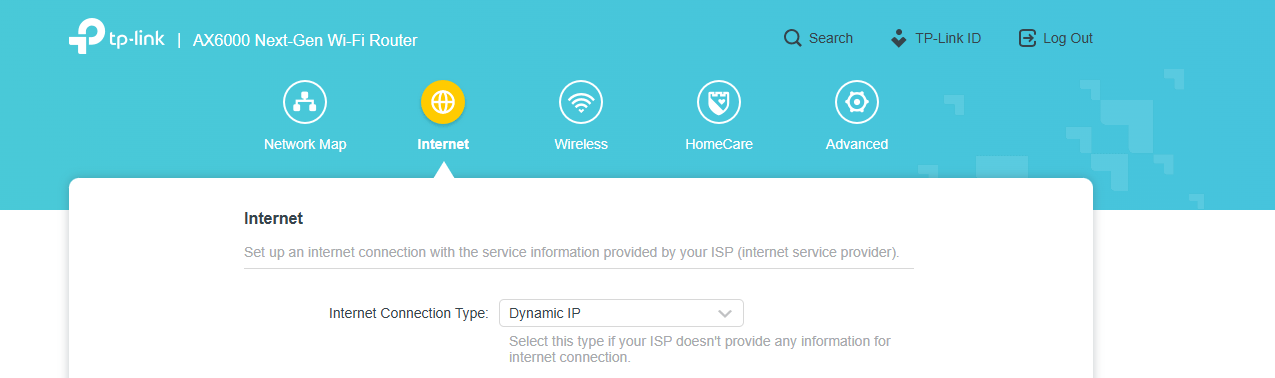
Neither of the MSI Laptops (Jake and Melissa dev machines) could connect to the internet at ESF. We tried both the WiFi and Ethernet and neither would work. We could connect to the network and access the router's admin portal via browser, but no internet access.
Switching the TP Link router from "Static IP" to "Dynamic IP" seemed to resolve this issue. However, only our laptops were impacted. All other machines seemed to work fine regardless of static or dynamic IP configuration.
We should probably try to contact someone familiar with the network, if such a person exists. Maybe someone at County IT?
I'm also thinking it might be some sort of mismatch in the configurations for the two routers (TP Link and Zyxel).