UI Notes
Camile
There are 3 primary colors they they use to note thing Blue, Green, and Red.
- Green is matching the input.
- Blue is not matching the input but not really bad.
- Red is bad.
SP is user input. It is in white. It is set by double clicking on the Inflow box.
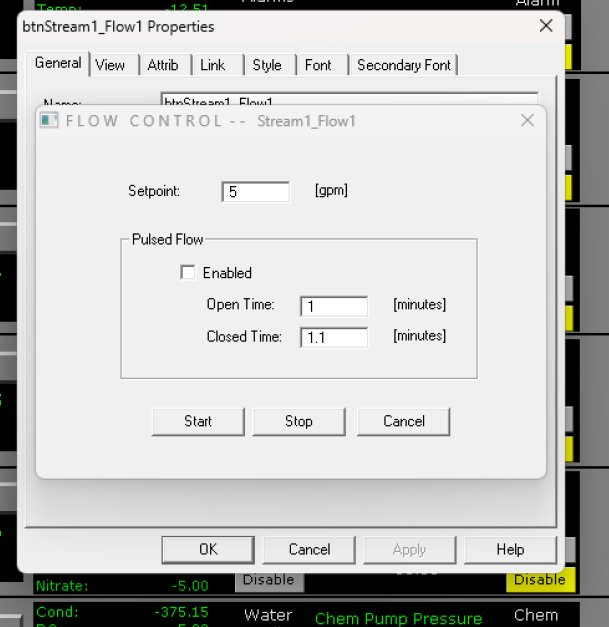 and PV is the actual value. SP stands for Set Point.
WHen double clicking sometimes you get the field name.
and PV is the actual value. SP stands for Set Point.
WHen double clicking sometimes you get the field name. 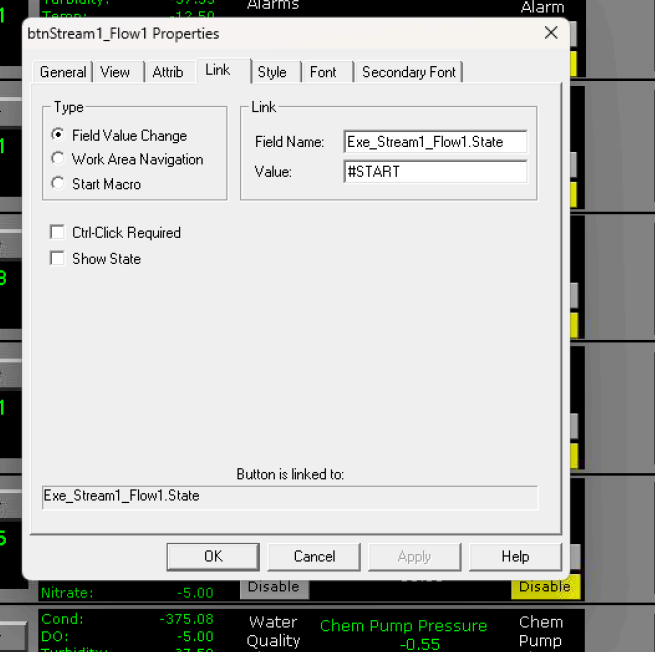
There are a lot of buttons everywhere and a lot of them have pop ups. They only come up when you double click. Avoid clicking on the buttons that are Binary.
They can usually be identified as  where green is on and red is off.
ACK Alarm is a notification button when this alarm happens then They have to click on it.

Control code does not have anything to do with the control strategy. They are just another data visualization windows. There can be some inputs like there are on all the pages but they primarily just display data.
There were 2 things that were mentioned that they as operators really wanted.
- If the HMI shuts down for any reason a message needs to be sent. If Camile is down they don't get data.
- The Trend Graphs need to load from database as well as live data.
- Currently if something happens like the power goes out and Camile goes off when they bring camille back up the trend diagrams do not show any of the old data. It starts from zero. So if they have it set for 7 days even if they have the data in the database the trend graphs do not populate they start as blank and will not have 7 days of data for 7 days. If they want to see the data they go to MySql and query the database then plot the data in excel.
- They also want to have a month of data showing in the trend graph. They currently said they can set it to 7 14 and 21 days.
Investigate Backup power options. UPS for controller Hardware. Find Standard practice. Ask Opto.