6 hr Data from O file explained.
I am going to document where the 6 hr data from the O file comes from.
In Ohio RSMS we have 6 hr flow data.
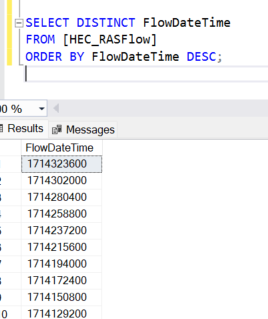
The HEC_RASFlow database has data with timestamps that follow:
1714323600 GMT: Sunday, April 28, 2024 5:00:00 PM Your time zone: Sunday, April 28, 2024 1:00:00 PM GMT-04:00 DST
1714302000 GMT: Sunday, April 28, 2024 11:00:00 AM Your time zone: Sunday, April 28, 2024 7:00:00 AM GMT-04:00 DST
1714280400 GMT: Sunday, April 28, 2024 5:00:00 AM Your time zone: Sunday, April 28, 2024 1:00:00 AM GMT-04:00 DST
It was noticed that Delaware was giving 1 hr data. Therefore it was unlikely that it is RSMSFlowManagementConsole doing the rounding. It should be in the O file.
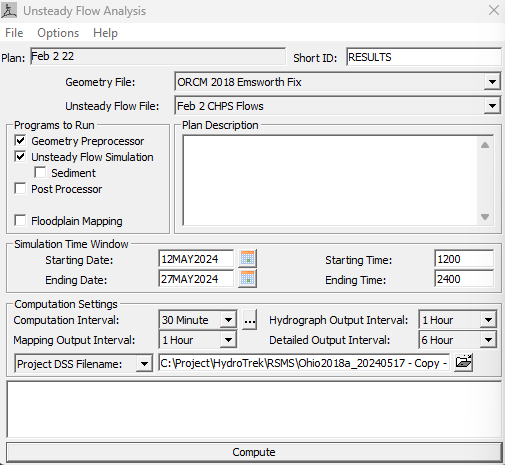
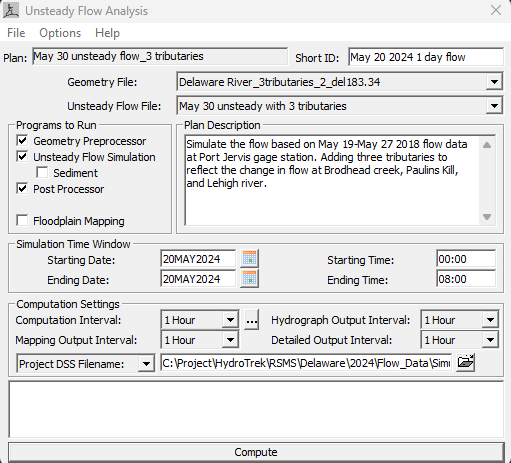
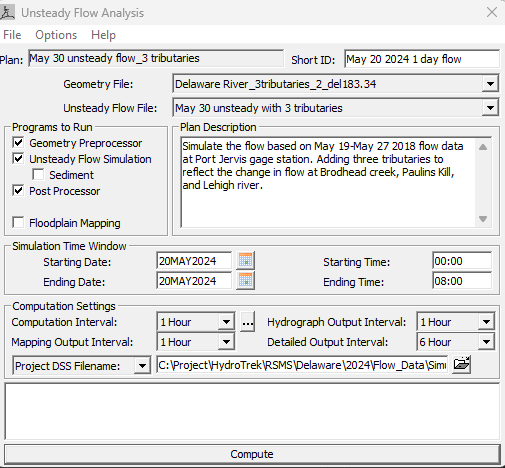
So looking at the HEC_RAS project. In the Unsteady Analysis The Detailed Output Interval is different in the 2 projects.
Ohio
Delaware
According to Chat GPT
"In HEC-RAS, the Detailed Output Interval is a setting that controls how often detailed hydraulic output data is recorded during a simulation. This setting allows you to specify the frequency at which HEC-RAS saves detailed results, such as water surface elevations, velocities, and flow rates at specific cross-sections or nodes in the model.
Key Functions of Detailed Output Interval Frequency of Data Recording:
The interval determines how often detailed hydraulic results are written to the output files during the simulation. For example, if you set the interval to 1 hour, HEC-RAS will save detailed results every hour of the simulation. Granularity of Results:
A shorter interval (e.g., 15 minutes) provides more granular data, which can be useful for analyzing rapid changes in flow or stage. Conversely, a longer interval (e.g., 6 hours) results in less detailed data but smaller output files. Impact on Output File Size:
The detailed output interval significantly affects the size of the output files. More frequent recording intervals will generate larger files, which may impact storage and performance, especially for long-duration simulations or large models. Data for Post-Processing and Analysis:
Detailed results at specified intervals are essential for post-processing and analysis. They are used to generate hydrographs, profile plots, and other visualizations that help in understanding the hydraulic behavior of the system being modeled."
In order to validate this a quick test was run on Delaware which as you saw had 1 hr output. It was modified so that it would have 6 hr output. The only Modification was the Detailed Output Interval dropdown from 1 hour to 6 hour.
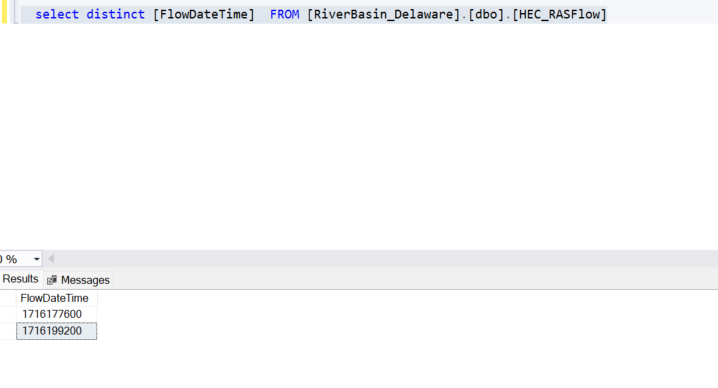
The output of the database after running Flow Console was that there was only 2 timestamps instead of 8. and they are 6 hrs apart.