FLW file
What is the FLW file
The FLW file is the flow file generated by Nutshell. It's format is as follows:
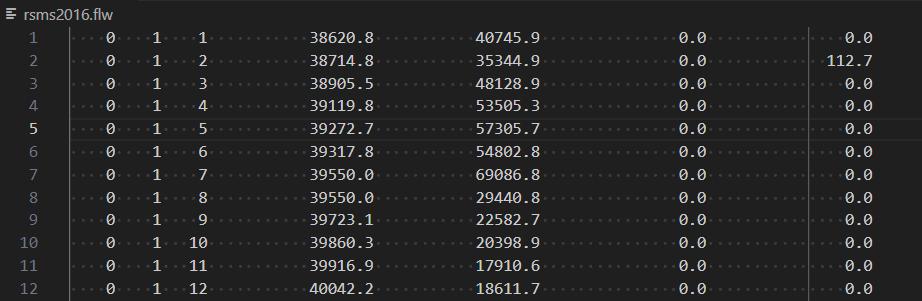
Interpolation of Flow data.
NFQ file which is the flow data that is imputed into the Nuteshell process contains daily values.
Nuteshell interpolates the daily flow into hourly flow
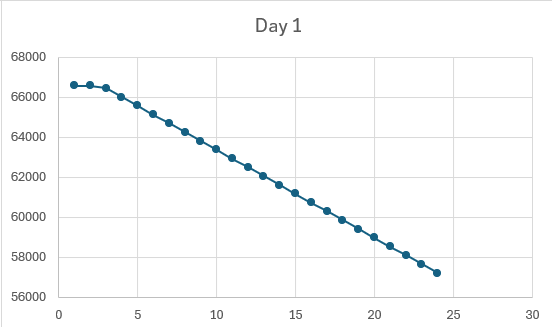
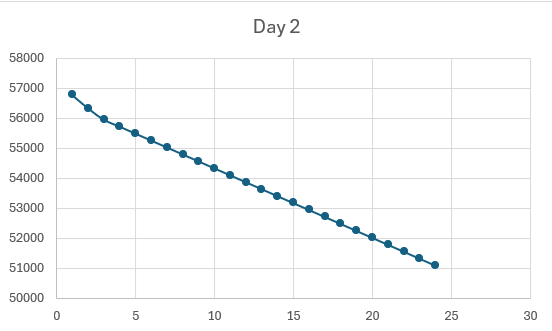
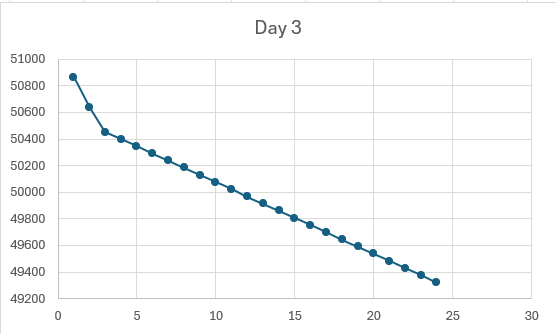
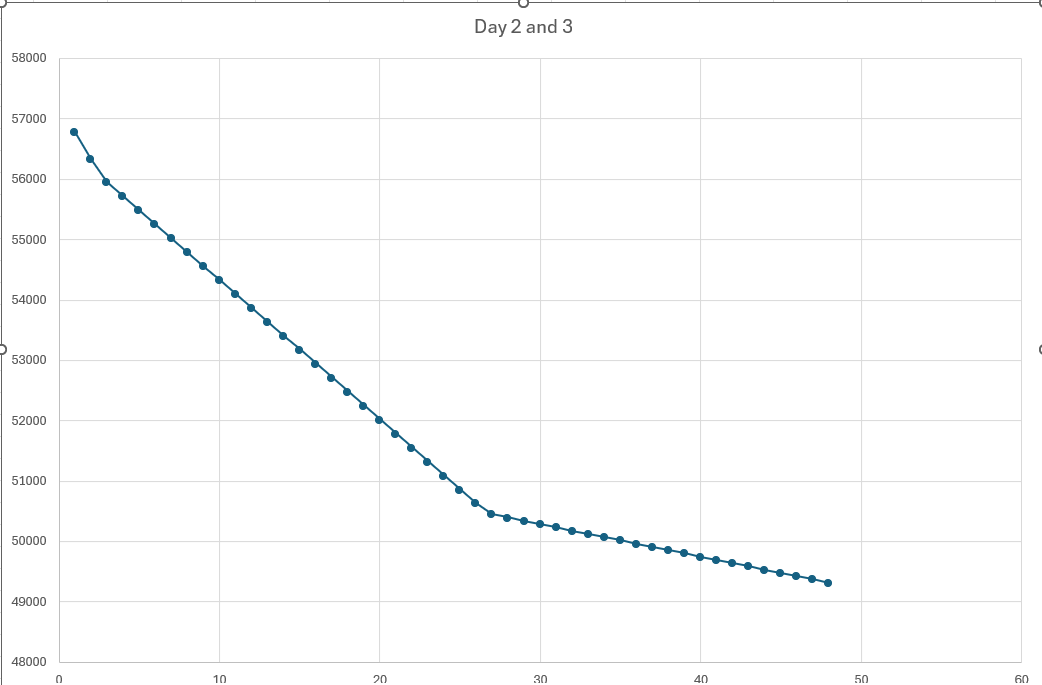 Note that the first few datapoint are a little off this flows through all the interpolated data if you are looking at it based on hours.
General Notes
The number of rows in a flw file does not correspond to the River Basin database hourly vs 6 hours data.
I checked this by checking a date which is 6 hr data 11-3-2023. This was over a year ago and was run on my machine which does not have hourly data. This flw file is still 6000 rows.
- "SIMULATION_DURATION",5 (5 days from ctl file)
- "MAX_SEGMENTS",50 (from ctl file)
The order of processes for RSMS are as follows:
- Generate CTL file
- Generate NFQ
- Neutshell run
- BLTM DLL
- CXPLT DLL
- CXPLT
We need the NFQ as that is the way we get flow data for NEUTSHELL RUN. Flw file is generated from Neutshell.
The following files are generated in Neutshell which are used by bltmdz.exe as inputs
- .in
- .flw
- .dz
- .fnk
Neutshell only takes 1 path and that is the CTL file but the CTL file contains the NFQ path, RMI path and some of the paths that are generated from neutshell.
- "BTLM_INPUT","C:\RSMS2015\results\356\rsms2016.in"
- "BLTM_FLOW","C:\RSMS2015\results\356\rsms2016.flw"
- "DEAD_ZONE_FILE","C:\RSMS2015\results\356\rsms2016.dz"
- "NEUTRAL_FLOW_FILE","C:\RSMS2015\results\356\rsms2016.nfq"
- "RMI_STRUCTURE_FILE","C:\RSMS2015\OhiorivUpperMissFix.rmi"
Then BLTM is run:
