Flooding Frontend Design
Changes to Generic-ify Flooding Frontend
The planned course of improvements for Flooding Frontend includes the support for different deployments and a user-supported site.
User Login
- Potentially include a user login page.
Locations
- Instead of being hardcoded in the constants file, locations will be driven by a database and acquired from the forthcoming Flooding API.
- We will need to include CRUD forms for managing locations.
3D Flooding
- Will remain largely unchanged.
2D Network
- Related to Shapefiles or GeoJSON files.
- Will be driven from the API.
- CRUD for adding and deleting networks.
- Landing page with list of available network files to view.
- Click through to view specific network.
3D Network
- Related to Shapefiles or GeoJSON files.
- Will be driven from the API.
- CRUD for adding and deleting networks.
- Landing page with list of available network files to view.
- Click through to view specific network.
2D RAS Results
- Related to HDF results files.
- Will be driven from the API.
- CRUD for adding and deleting results.
- Landing page with list of available results files to view.
- Click through to view specific results.
3D RAS Results
- Related to HDF results files.
- Will be driven from the API.
- CRUD for adding and deleting results.
- Landing page with list of available results files to view.
- Click through to view specific results.
Authentication Design
- Django will handle authentication.
- Options for authenticating from the React Frontend
Authenticating with Tokens
This is Jake's preferred method.
This 1. Medium Article has some useful information regarding a more automated approach of managing JSON Web Tokens.
This other Article, 2. Build an Authentication System Using Django, React and Tailwind has a more complete picture of doing authentication between Django and React.
- Article 2 is more recent (last updated April, 8 2024).
- Article 2 uses Django's Bearer Tokens instead of JWT.
Authenticating in Django with Knox
django-rest-framework-postman-token-authentication
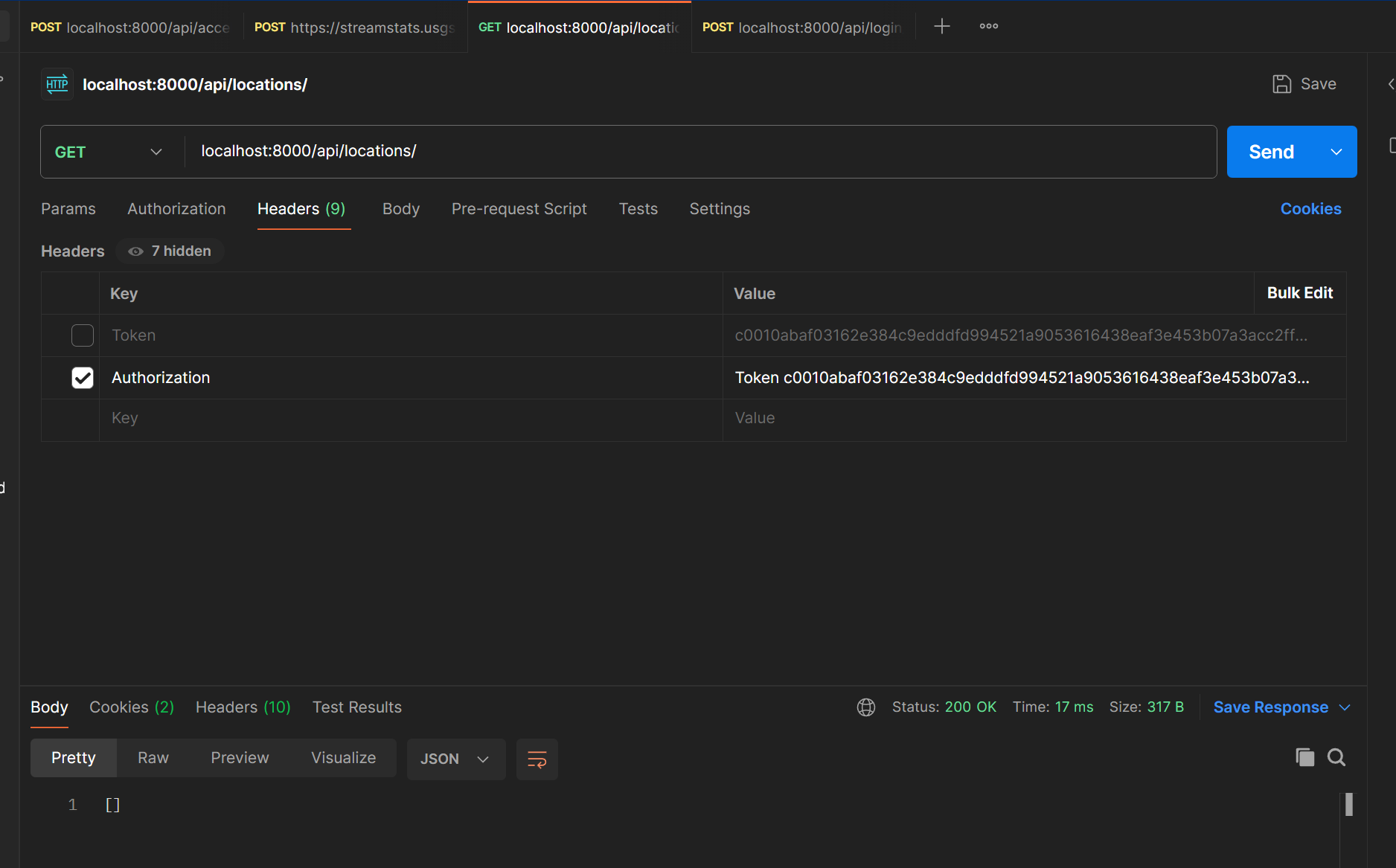
For authenticating in Postman, one needs to go to the Headers tab, add a
"Key" of Authorization and a corresponding "Value" of
Token your-token-here.
JWT and Bearer Token Comparisons
Stack Overflow: Should I use JWT or Basic Token Authentication in DRF
JWT are more scalable, but can be more complicated to implement.
As long as the system is fairly small, i.e. fewer than thousands of users, there will unlikely be noticeable performance differences between JWT and Bearer Tokens.
I'm inclined to go the Bearer Token route, and thus use Article 2 as the primary source of information for the auth implementation.
Pros and Cons Comparison from Stack Overflow
DRF's builtin Token Authentication
- One Token for all sessions
- No time stamp on the token
DRF JWT Token Authentication
- One Token per session
- Expiry timestamp on each token
Database access
- DRF's builtin Token Authentication
- Database access to fetch the user associated with the token
- Verify user's status
- Authenticate the user
- DRF JWT Token Authentication
- Decode token (get payload)
- Verify token timestamp (expiry)
- Database access to fetch user associated with the id in the payload
- Verify user's status
- Authenticate the user
- DRF's builtin Token Authentication
Pros
- DRF's builtin Token Authentication
- Allows forced-logout by replacing the token in the database (ex: password change)
- DRF JWT Token Authentication
- Token with an expiration time
- No database hit unless the token is valid
- DRF's builtin Token Authentication
Cons
- DRF's builtin Token Authentication
- Database hit on all requests
- Single token for all sessions
- DRF JWT Token Authentication
- Unable to recall the token without tracking it in the database
- Once the token is issued, anyone with the token can make requests
- Specs are open to interpretations, no consensus on how to do refresh
- DRF's builtin Token Authentication