Run an application as a service in Linux
This is using PM2 to setup the background service We are running the service as the
rootuser so we don't run into run permission issue.
This can be configured to:
- Run on the system bootup
- Automatically restart after a crash after a set amount of seconds
Setting up the background service
We have to have a working application executible with permissions to execute. Eg:

If the application don't have the right permissions, provide them by:
sudo chmod +x <file_name>Note the working directory which the app has to be executed from.
Switch to
rootuser.sudo suCreate and open the following file with
sudopermissions to write. Should change the namesocket_appto your application name.sudo nano /etc/systemd/system/socket_app.serviceAdd the following content to the file. Change the content according to your application and requirement.
[Unit]
Description=Socket Server for the Sensor Mesh Network

[Service]
WorkingDirectory=/home/pavan/git/gqc/linux_socket_app
ExecStart=/home/pavan/git/gqc/linux_socket_app/build/socket_app
Restart=on-failure
# Restart service after 2 seconds if the service crashes:
RestartSec=10
SyslogIdentifier=socket_app
User=root

[Install]
WantedBy=default.target
Add the service
sudo systemctl enable socket_app.service
sudo systemctl start socket_app.service
Check the status of the service
sudo systemctl status socket_app.service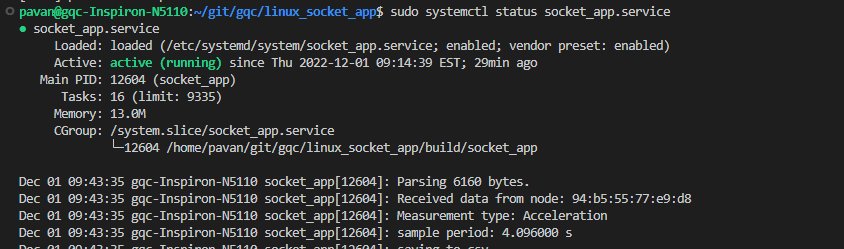
Monitoring the output of the service
If you want to monitor the screen output of the service:
sudo journalctl -fu socket_app.service